Roccat KONE [+] Review
Initial Look
Published: 29th November 2010 | Source: Roccat | Price: £67.99 |
Kone [+] First Look
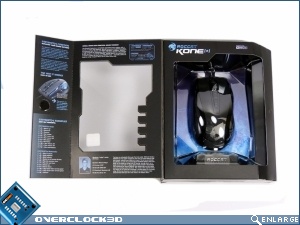
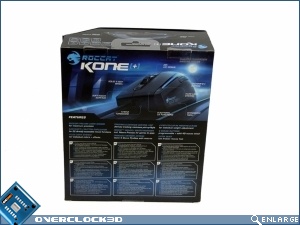
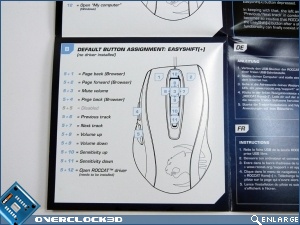
The packaging is up to the normal extremely high Roccat standard. Matt black with the Roccat logo in gloss and some lovely blue highlights of the important elements. The front of the box flips open to allow you to both test fit the mouse in the palm of your hand, and also take a close look at the various button assignments available.
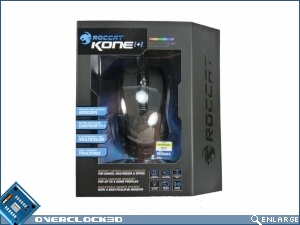
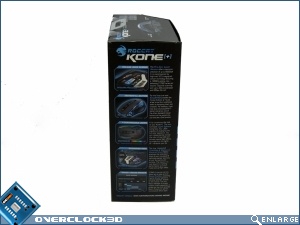
The rest of the box does the always tricky job of expressing a huge amount of information in a clear manner with aplomb.
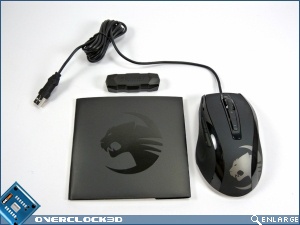
As more and more mice at this price level have a very similar specification it becomes more vital that the little touches are perfect to help your product stand out. Roccat have got this completely nailed. Everything in the box is designed exactly the same as the packaging and drivers. Black with the white panel and the electric blue Roccat logo. To see it on the CD, which normally are completely unlike the rest of the design, is especially satisfying.
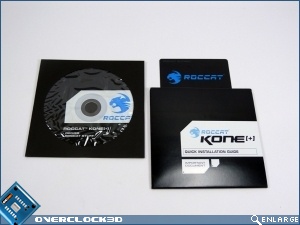
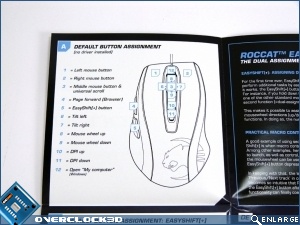
One of the things Roccat do well, especially when it comes to multi-function buttons, is having a handy quick-reference guide available. So many companies rely on PDFs for their manuals which are all well and good until you're actually in need of the information right then. So it's great to have a CD sized guide readily to hand.
Most Recent Comments
Looks nice too, could deffo see me using it. Can't say it's cheap though
Thanks for the review. I've been waiting for a VB review for a while, always makes for pleasurable reading
The only issue is that it doesn't support my pinky (no biggie
The driver and customisation is awesome.
There is a very small aperture on the bottom leading to two sensors. If you get any dust/fluff/eyelashes in here (and it does seem to suck them in) then the responsiveness goes to hell and the mouse becomes very jumpy at any resolution.
There is no easy way I can see to dismantle the mouse and give it a good clean. So I'm forever blowing into the bottom of the damn thing.
No, it isn't drivers. As soon as I remove the obstacle the mouse works fine. Just wish it didn't suck muck in, and be extremely difficult to clean.
And compared to some rig/desk shots I've seen on here I have a pretty clean environment.
I have a really old logitech mouse on my other PC, which on inspection also seems to have an eyelash stuck in it, but becasue the aperture is so much wider the sensor is not impacted.
I might well ebay this and get something else. It's a pain.
HTH
Actually this is my 2nd mouse. I had to return my first due to scroll wheel issues, which roccat said it sounded like a defective sensor.
So far this 2nd one's wheel issues haven't surfaced.
Another issue I had was when I turned on my PC the other day, the mouse erased itself. All my custom profiles, dpi settings, everything gone. It was by chance I made a backup of the profiles the night before and restored it. But still, worrying.
Another problem is that the easyshift, can no be bound to certain keys.
I know its just me being picky, but I wanted it to be the scroll wheel right movement. Only main buttons can be easyshift. Not sure why, what difference does it make?
I love the mouse, don't get me wrong and I upgraded from a razer imperator to this.
I'm so tired and bored of paying out loads of money for razer products which aren't that great. I'm typing this on a razer blackwidow ultimate keyboard, and it keeps doing double S or L. I've spent about 15 minutes typing this, removing the double letters. Oh, and punched it twice.


Continue Reading