Sapphire HD6850 TOXIC Edition Review

Sapphire TriXX
One of the new additions with a Sapphire card is their own overclocking software, TriXX. It does everything you could hope for it to do, in a very painless manner.
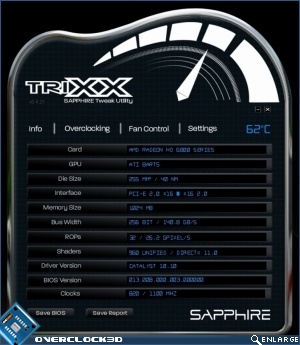
The first page shows the information about the card itself in a similar manner to GPUz and other monitoring programs.
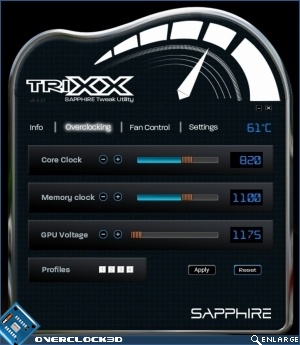
The second “overclocking” tab is where the real heart of the program lies. Not only has it got the GPU Core and Memory clocking aspect that is common to so many applications, but also gives a live temperature reading and allows voltage control. These are features we’ve seen before with an MSI utility but where the Sapphire TriXX really stands out is that it will adjust all these aspects, even voltage, regardless of the manufacturer of your card and without needing to use any specific drivers or adjust any ini files. Exceptional.
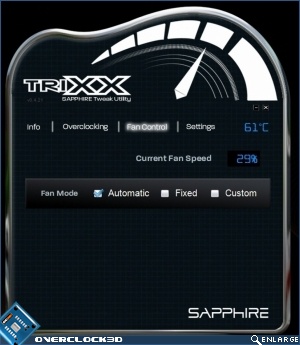
The third page is where you can control the fan speed. The fixed option does what you’d expect but any changes are made “live” so you can easily reach a balance between fan volume and cooling ability, without endlessly applying your settings. Speaking of volume, because it’s a reference card anything above about 52% fans becomes audible, although 40 is about the perfect balance of cooling and volume.
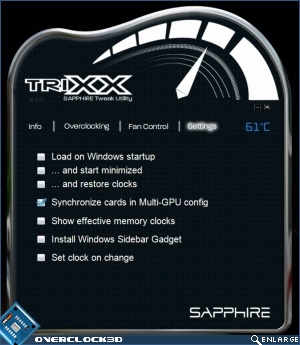
Finally we have the settings page. This allows for simple control over the software including whether you’d like it to load and apply at startup, control all of your cards at once should you have Crossfire’d cards, includes a gadget that is a sidebar version of the information on the first page, and even the ability to have live clock changes as you adjust the slider. Of course the “set clock on change” option needs to be treated with caution. You don’t want to have a knock on your arm and suddenly pump 2 volts through your core.