NEC MultiSync WGX2 20" TFT Review
The Screen Up Close and Inputs
Published: 2nd February 2007 | Source: NEC | Price: |
Author: Matt Kemp
Source: NEC
NEC Multisync 20WGX² Close Up
The 20WGX² is a very attractive monitor close up. With a stylish silver bezel and keys set below the display it would look good on your desk.

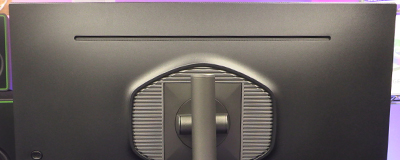
As you can see it's a bit of a chunky monitor as regards the profile. Not as elegant and slim as some of the competition. However this doesn't massively affect the area it takes up too much.


The monitor has a screen that is almost glass-like. It is very reflective and when off with a light shining on it it is almost a mirrored surface. This could put off some people, although the only time it bothered me was when I let some sun shine on it by mistake, and not many monitors stand up to that.


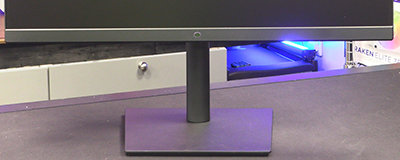
The stand is a little low for my liking and lacks height adjustment which is a bit of a minus point. Many will find this is ok though as they have a monitor stand integrated into their desk or perhaps like their screen lower than I do.
There is good tilt on the screen and 360° swivel adjustment which is excellent - great for a LAN perhaps when you want to show your friend how dead they were after you fragged them.
Inputs/Connectivity
Let's take a look at the inputs and connectivity on the monitor.
The DVI and VGA connections are situated on the bottom of the screen below the buttons. This makes for easy access. The USB hub has two connectors on the bottom of the monitor and an additional two on the side. This is excellent for those of you who like your USB devices and webcams, headphones, microphone's etc would be easy to plug in.
The controls on the 20WGX² are in a neat little attached part of the monitor below the display. This is a "love it or loathe it" solution and personally I think it adds to the stylish look of the monitor.
The On Screen Display is made easier to move around with the small dial-like button on the panel here. There is also a button that quickly adjusts the Dynamic Visual Mode (DVM). This mode makes a huge difference as we will see later on.
All in all this is an attractive and stylish monitor that would look great sitting on your desk.
The controls are great and the adjustment is pretty good although no height adjustment gives it a "must do better" in my book.
The monitor has a power switch on the rear in addition to the main power switch on the front. I assume this is to make sure that the monitor is power off totally, rather than in standby mode.
Controls
Controls
The On Screen Display is made easier to move around with the small dial-like button on the panel here. There is also a button that quickly adjusts the Dynamic Visual Mode (DVM). This mode makes a huge difference as we will see later on.
All in all this is an attractive and stylish monitor that would look great sitting on your desk.
The controls are great and the adjustment is pretty good although no height adjustment gives it a "must do better" in my book.
Most Recent Comments
Hopefully they won't dissapear, I thought Bill Gates gave them some money to take linux to court about stuff a while ago
(or was that sun?)
Guess they've used that up tho and it seems most people are opting for free or open source linux/unix systems which I guess is not helping them that much.
(or was that sun?)Guess they've used that up tho and it seems most people are opting for free or open source linux/unix systems which I guess is not helping them that much.


Link