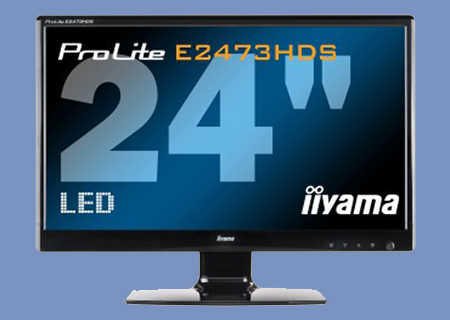
iiyama ProLite E2473HDS Review
Introduction and Technical Specifications
Published: 28th July 2011 | Source: iiyama | Price: £149.99 @ Aria |

Introduction
Monitors have come a long way in a short space of time since the original move from CRTs to flat-panels.
When the TFT monitors first appeared on the scene they had a limited amount of inputs and very poor response times when compared to their CRT counterparts as well as being eye-wateringly expensive.
Since they first became a viable option a few years ago the technology has moved along at a huge rate. The first big change was the switch to widescreen aspect ratios and then the inevitable move to bigger and bigger screen sizes. Of course at the top end the panels are as good as ever, but down with the TN panels which about 95% of us own due to their attractive pricing we've seen a raft of changes and the major one is the switch from a CCFL backlight to the more uniform LED type.
As with any new technology there was a huge premium to pay initially, but now with the iiyama ProLite E2473HDS you can have a full HD, 24" LED backlit monitor for £160. With more graphics cards capable of triple-screen gaming goodness it is definitely time to take a look and see if the performance of the iiyama matches its eye-catching feature set.
Technical Specifications
As with all monitor specifications there is a certain amount of 'taking with a pinch of salt' especially when it comes to Contrast ratios and response times. The response time quoted here is for a grey-to-grey switch in the 'overdrive' mode which gives a gaudy number, but it's actually of much use especially as more often than not you'll be desiring black to white switching and the 5ms response of the iiyama in standard mode gives a far better image than the overdrive attains. However iiyama are by no means the only company to enhance their figures with selective quoting as it's an industry-wide practise. As ever, caveat emptor.
Diagonal: 23.6"
Panel: LED-Backlit
Display area: h x w 293.2 x 521.3 mm; 11.54" x 20.51"
Response time: 2 ms
Contrast: 1000 : 1 typical
Contrast: 5 000 000 : 1 ACR
Brightness: 300 cd/m² typical
Connections: D-Sub, DVI-D & 2x HDMI
Viewing zone: horizontal/vertical: 170°/ 160°; right/left: 85°/ 85°; up/down: 80°/ 80°
Display colour: 16.7 million
Pixel pitch: h x v 0.2715 x 0.2715 mm
Native resolution: Full HD 1080p, 1920 x 1080 (2.1 megapixel)
Horizontal sync: 24 - 80 KHz
Vertical sync: 55 - 75 Hz
Synchronization: Separate sync
Aspect ratio: 16 : 9
3yr On-site Warranty
Most Recent Comments
best monitors i have ever had
on my versions the stands are much stronger - and the menu is easier to navigate
iiyama = win,
prolite = win,
LED = definite win
excellent value
|
I was thinking about getting this monitor but then I read the digitalversus review http://www.digitalversus.com/iiyama-prolite-e2473hds-p357_10826_50.html it was all going so well until they mentioned negative ghosting. |
(FYI - it is hard to ghost with an LED monitor, as the screen does not get hot)Quote
|
no ghosting on mine... AT ALL (FYI - it is hard to ghost with an LED monitor, as the screen does not get hot) |
Whilst I really respect the reviews on OC3D and the effort that goes into them, I would rather rely on the other site for monitor reviews as they specialize in them more.Quote
So respect our reviews all you like, but also try and read them. We mentioned the issue with Overdrive, and recommended you leave it off. With it off the monitor is outstanding.Quote
|
Except we mentioned that the 2ms Overdrive feature actually makes the picture worse, so it's best to stick to the standard 5ms mode in which there is no ghosting visible. So treat the Overdrive mode as you would any other 'feature' that you don't use, such as the insert key on a keyboard or the teletext button on your TV. So respect our reviews all you like, but also try and read them. We mentioned the issue with Overdrive, and recommended you leave it off. With it off the monitor is outstanding. |
|
I literally just bought one of those this second just before I saw this |
Reviewing a monitor on it's own and in it's own right, whilst being fair, is not a great idea to me.
It's very much a personal opinion, as I've said, but I've always advised people to grade tvs and monitors when viewed next to another one that is perceived to be of a high standard - again to you.
Biggest grudge I have with this one is the x1080 resolution. But at £149, for a psuedo 24", I find it hard to overly criticize anyone for recomending them.
I will-not accept the manufacturer's slant into getting us to buy x1080 panels. 1920x1200 'should' be what they are, imo. And no matter what kind of mushing of pixels to make up the screen size, and processing of what should be an "as the graphic card outputs" image will sway me. That sh1t is for TVs, computer monitors show what is meant to be displayed without processing, ghosting or blurring to disguise things.
lol /rant.Quote
|
Except we mentioned that the 2ms Overdrive feature actually makes the picture worse, so it's best to stick to the standard 5ms mode in which there is no ghosting visible. So treat the Overdrive mode as you would any other 'feature' that you don't use, such as the insert key on a keyboard or the teletext button on your TV. So respect our reviews all you like, but also try and read them. We mentioned the issue with Overdrive, and recommended you leave it off. With it off the monitor is outstanding. |
So yeah I read review many times before deciding to pass this monitor, if 2ms OD causes reverse ghosting then as a gamer why on earth would even bother with it.Quote
|
Which review are you talking about? If you're talking about OC3D then i see no mention of it, if you're talking about digital versus then yeah I know you said stick with 5ms because OD needs fixing, the headline being... Responsiveness: 2 ms? Try fixing the overdrive So yeah I read review many times before deciding to pass this monitor, if 2ms OD causes reverse ghosting then as a gamer why on earth would even bother with it. |
white switching and the 5ms response of the iiyama in standard mode gives a far better image than the overdrive attains
Also if you watch any of the gaming footage on the youtube channel, for example the recent Crysis 2 DX10 vs DX11 review then you can see there is no noticeable ghosting.Quote
|
some people only see what the want to see! "i see dead people" lol |
|
Taken from the Technical Specifications of the review. Also if you watch any of the gaming footage on the youtube channel, for example the recent Crysis 2 DX10 vs DX11 review then you can see there is no noticeable ghosting. |
white switching and the 5ms response of the iiyama in standard mode gives a far better image than the overdrive attains
That doesn't mention reverse ghosting, it just says better image than overdrive. For all i know overdrive may have been ok but you get better image without it, whereas the other review clearly mentions reverse ghosting with overdrive.
I wouldn't watch a youtube vid to try and find ghosting, thats to unreliable.Quote
Na I'm just kidding, monitors are so hard to review, in a way its easier to talk about them as well as giving all the technical stuff such as colour reproduction and so on. I think from what I've heard this monitor is very good, and I've seen it recommended all over the net .
|
I have bought a Iiyama E2473HDS monitor a month ago. Overall I am very pleased with it, loads of screen area, colours great and for the first time I now have a few screen gadgets. At From the beginning I had a black band all round the screen I attached a VGA cable this solved the problem, so now I can get the full screen. Today I looked at the Main Menu OSD and the Contrast and Brightness was greyed out all other controls were available. My question how can I adjust the Contrast and Brightness? Any help will be more than welcome. |
|
I have bought a Iiyama E2473HDS monitor a month ago. Overall I am very pleased with it, loads of screen area, colours great and for the first time I now have a few screen gadgets. At From the beginning I had a black band all round the screen I attached a VGA cable this solved the problem, so now I can get the full screen. Today I looked at the Main Menu OSD and the Contrast and Brightness was greyed out all other controls were available. My question how can I adjust the Contrast and Brightness? Any help will be more than welcome. |
in amd vision... goto My Digital Flat Panels, then Properties... if Enable GPU scaling is ON turn it off.... then got down a little further to Scaling Options, and make Overscan 0%
that should sort you screen size out (no need for extra cables). the rest is self-explanatory for contrast and brightness
Asus do very similar monitor same cost but has better stand probably near identical image.Quote
|
Reading this review from my ASUS VG236HE and literally seething with rage Na I'm just kidding, monitors are so hard to review, in a way its easier to talk about them as well as giving all the technical stuff such as colour reproduction and so on. I think from what I've heard this monitor is very good, and I've seen it recommended all over the net . Try using a different cable to connect? i.e. HDMI or DVI? You should be able to adjust it tbh |
I have tried various methods. Eventually I disconnected the cables and "voila" I was able to access the Brightness control and moved it down from 100% which was too bright in most things. Thanks for your reply.Quote
had it 5 days and I'm going to return it tomorrow
I think it is a very poor monitor
no matter what I do it can not be made to look good, its always a bit off
not rich at all, over/under contrast or over/under brightness
that not the worse thing about it
its supposed to be a 2ms
but just put the mouse pointer on a black back ground and wiggle its horrible lag and mouse trailsQuote
|
I have this monitor had it 5 days and I'm going to return it tomorrow I think it is a very poor monitor no matter what I do it can not be made to look good, its always a bit off not rich at all, over/under contrast or over/under brightness that not the worse thing about it its supposed to be a 2ms but just put the mouse pointer on a black back ground and wiggle its horrible lag and mouse trails |
For the picture use the settings in CCC if you have an AMD card or whatever the Nvidia equivalent is if you have an Nvidia card. The settings on the monitor it's self are pretty crap but once you set it up with the GPU settings it's a lot better.Quote
|
Well I had this monitor and there was no lag what so ever, do you have the overdrive enabled? if yes disable it. For the picture use the settings in CCC if you have an AMD card or whatever the Nvidia equivalent is if you have an Nvidia card. The settings on the monitor it's self are pretty crap but once you set it up with the GPU settings it's a lot better. |
I think I have OD off
I get home in about 5 hours, I feel I need some one to talk me through it, its such a disappointment atm as Ive saved 3 months to buy itQuote
|
I have a MSi GX660R with a ATI/AMD HD5780 1GB DDR5 I think I have OD off I get home in about 5 hours, I feel I need some one to talk me through it, its such a disappointment atm as Ive saved 3 months to buy it |
I don't know why you are getting lag though I never experienced any lag and I played BF3, MW3 and a few other FPS games on it and the mouse moved when I moved it with no delay.
http://i.imgur.com/BG65ol.jpg
Quote
|
These are the settings I used with it. I don't know why you are getting lag though I never experienced any lag and I played BF3, MW3 and a few other FPS games on it and the mouse moved when I moved it with no delay. http://i.imgur.com/BG65ol.jpg |
whats you
Contrast
brightness
modes etc at please?Quote
|
What about the settings on the monitor? whats you Contrast brightness modes etc at please? |
I might have turned down the Blue in the color settings a bit but I can't remember if it was with the prolite or another monitor.Quote
|
I left the monitor ones as they were and just used the settings in CCC. I might have turned down the Blue in the color settings a bit but I can't remember if it was with the prolite or another monitor. |
OK
I try these when I get home
Thanks for the helpQuote
|
So you say Id should reset the monitor to stock ? OK I try these when I get home Thanks for the help |


Continue ReadingQuote