ASUS ROG MARS 2 Review

Test Setup
With the latest drivers on board and enough PSU power to light London, we’re ready to put the MARS 2 through its paces.
ASUS ROG MARS 2
ForceWare 285.27
Intel Core-i7 950 @ 4GHz
Gigabyte G1 Assassin
Corsair AX1200W
6GB Mushkin Redline
Noctua NH-D14
Windows 7 Ultimate x64
Overclocking and Temperatures
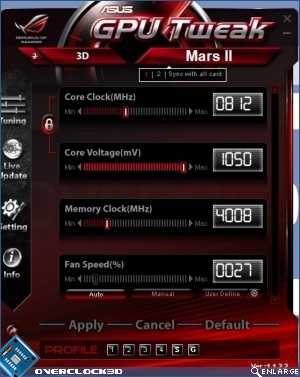
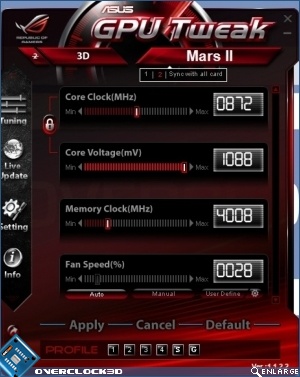
Straight away we have to start with a bit of a complaint. This is the premium of all premium graphics cards, and so as such little things like the second GPU coming with a higher core voltage out of the box just shouldn’t happen. We can understand if we had two different single GTX580s, but for something that’s the price of a Tri-SLI GTX580 setup we expect our chips to be cherry picked from the very finest.
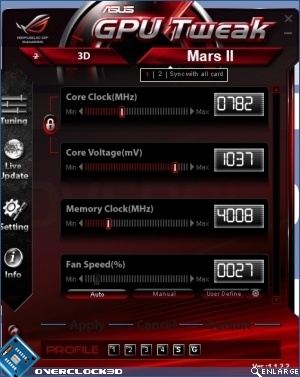
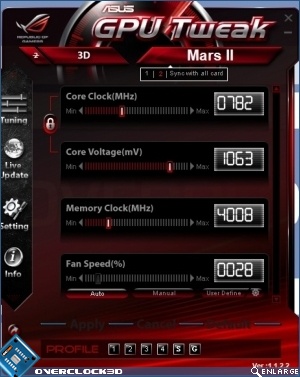
Of course if we have a difference in starting voltages this makes a big difference in ending speeds, and so it proves with the second of our two GPUs capable of a much higher clock speed and voltage to the first. It’s wise to sync them and so you end up with a £1000 card that only overclocks 30MHz. Not good enough.
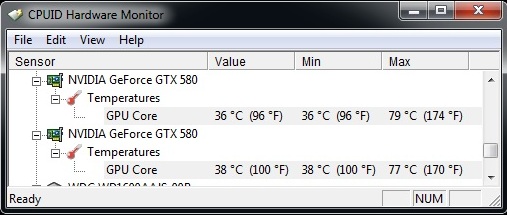
Thankfully though the extended development time and subsequent switch across to the GF110 GPU has meant the coolness benefits that chip brought. Even with two chips stressing the cooler the MARS 2 doesn’t go above 79°C.