ASUS Rampage 4 Extreme Review

Test Setup
Welcome to those of you who have skipped straight to the overclocking results, and a heartier hello to those who have stayed with us through the initial part of the review.
Our test rig is the same as we used for the i7-3960X, just with the obvious addition of the Rampage IV Extreme (and removal of the Intel DX79SI for the pedants in the audience).
ASUS Rampage IV Extreme
Intel Core i7-3960X
nVidia GTX570
ForceWare 285.62
16GB G.Skill RipjawsZ 2133MHz
Corsair AX1200 PSU
Samsung Spinpoint F3 1TB
Noctua NH-D14
Windows 7 x64
Overclocking
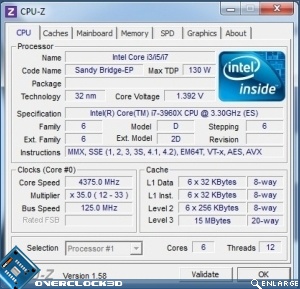
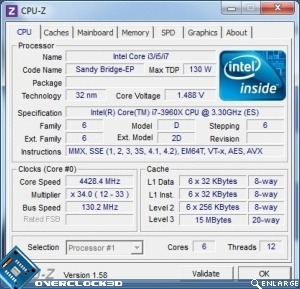
The Rampage IV Extreme, as well as offering more user control than many of us are ever likely to need, also has some one-click overclocks available. The Standard profile boost the processor from its default speed up to a healthy 4.375GHz. Not bad for such a simple solution.
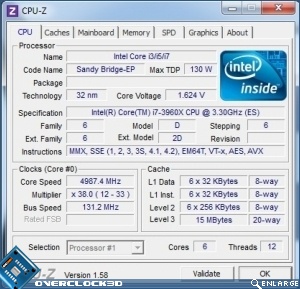
At the other end of the scale is the High Current Extreme option, which gets us to 5GHz but this absolutely isn’t a setting you want to accidentally apply. 1.624v on the CPU. Heavens.
Standard OC Profile Extreme High Current OC Profile
Back in the sane world we have the ability to modify the BCLK much more than we’ve recently seen on the original Sandy Bridge stuff, and this is a boon to overclocking and tweaking. The highest BCLK we were able to obtain from a 100MHz start was 130MHz, which is pretty handy. Some gentle playing to find the sweet spot between bus speed and CPU Multiplier ended up with a 4.75GHz overclock at 1.47v, which is what we’ll be using today for all of our overclock benchmarks.
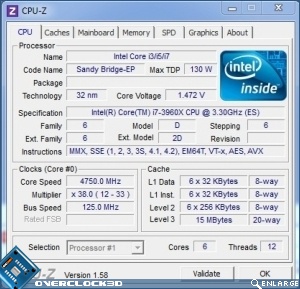
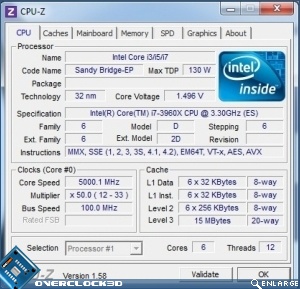
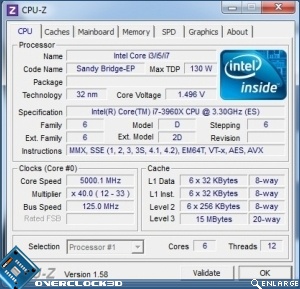
5GHz
Just to show how flexible the new arrangement is, you can have your 5GHz overclock in two ways, either with a hefty multiplier, or a BCLK increase. 5GHz on a Hexcore with HT still enabled. We’re salivating.