ASUS Maximus 4 Extreme Review

Test Setup
Thankfully because this is an evolution of the LGA1156 we can import a lot of our normal test hardware. We’ll be using the top-of-the-range Intel Core i7-2600K today, and in all future P67 Motherboard tests.
Intel Core i7-2600K
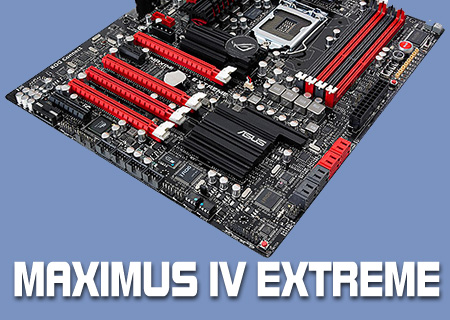
ASUS Maximus IV Extreme
Corsair HX1200 PSU
4GB Mushkin Redline RAM
Noctua NH-D14
nVidia GTX570
Windows 7 Ultimate x64
We will be putting the Maximus IV Extreme up against the Maximus III Extreme and Rampage III Extreme to really compare the various Intel CPU solutions.
Overclocking and Temperatures
As we mentioned in our Intel Sandybridge review also available to read today, the new range of processors don’t just have a fast speed and an idle speed, but rather they have a lower power setting, the standard speed, and your overclock only takes effect when the processor is being used hard.
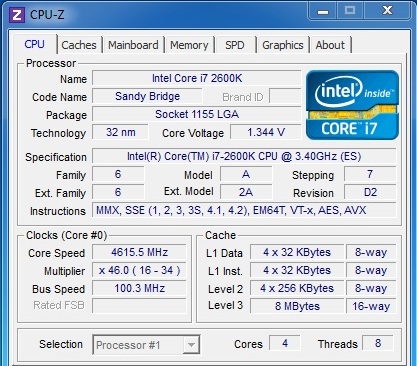
The ease with which we could automatically level the processor up to 4.6GHz gave us hope that it would follow the stock Intel board and breeze to 5GHz, but sadly the 4.6GHz speed is as much as it’s willing to give up. Although we could argue that this is an immature BIOS the boards have been around for a long time now and these problems should have been ironed out. Especially for such a high priced offering.
It is quite strange to see such an insane multiplier when we’re used to the Bus Speed being the element to overclock.
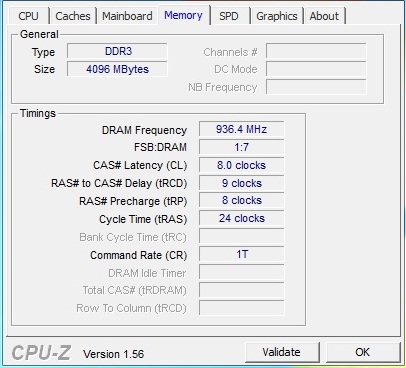
The new chips and chipset handle Memory well although because everything goes in different increments as you could see in our specifications table on page one you might not get the speed you’re used to from your kit.
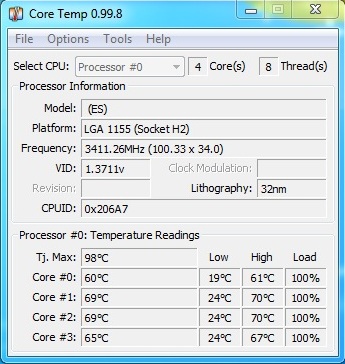
Temperatures are definitely kept well under control thanks to the larger emphasis on energy efficiency coupled with the 32nm process. 4.6GHz yet only 70°C is mightily impressive.